 AI Project Engineer
Your junior project engineer, on every document.
Upload a scope of work or technical specification. The agent reads it end to end and returns a discipline-wise task breakdown, the top execution risks, the questions you should be asking the client, and a phased delivery timeline — in seconds instead of hours.
Engineering documents in. Execution plans out.
Heavy-engineering projects arrive as a pile of specifications, scopes of work, P&IDs and change requests. Turning that into a plan is slow, manual, and easy to get wrong. This agent does the first pass for you.
Today, by hand
- ✕Engineers spend hours reading specs to extract tasks and dependencies.
- ✕Risks surface late — often after mobilisation, when they cost the most.
- ✕Ambiguities in the scope go unnoticed until the client is already waiting.
- ✕New hires and interns take weeks to build a mental model of a project.
With the agent
- ✓A discipline-wise task breakdown ready for resource allocation.
- ✓Top execution risks flagged before work starts, not after mobilisation.
- ✓A generated list of open questions to send back to the client.
- ✓A phased timeline that gives anyone the shape of the project in one look.
Built around how project teams actually work
Every output maps to a decision someone has to make in the first week of a project.
Discipline-wise breakdown
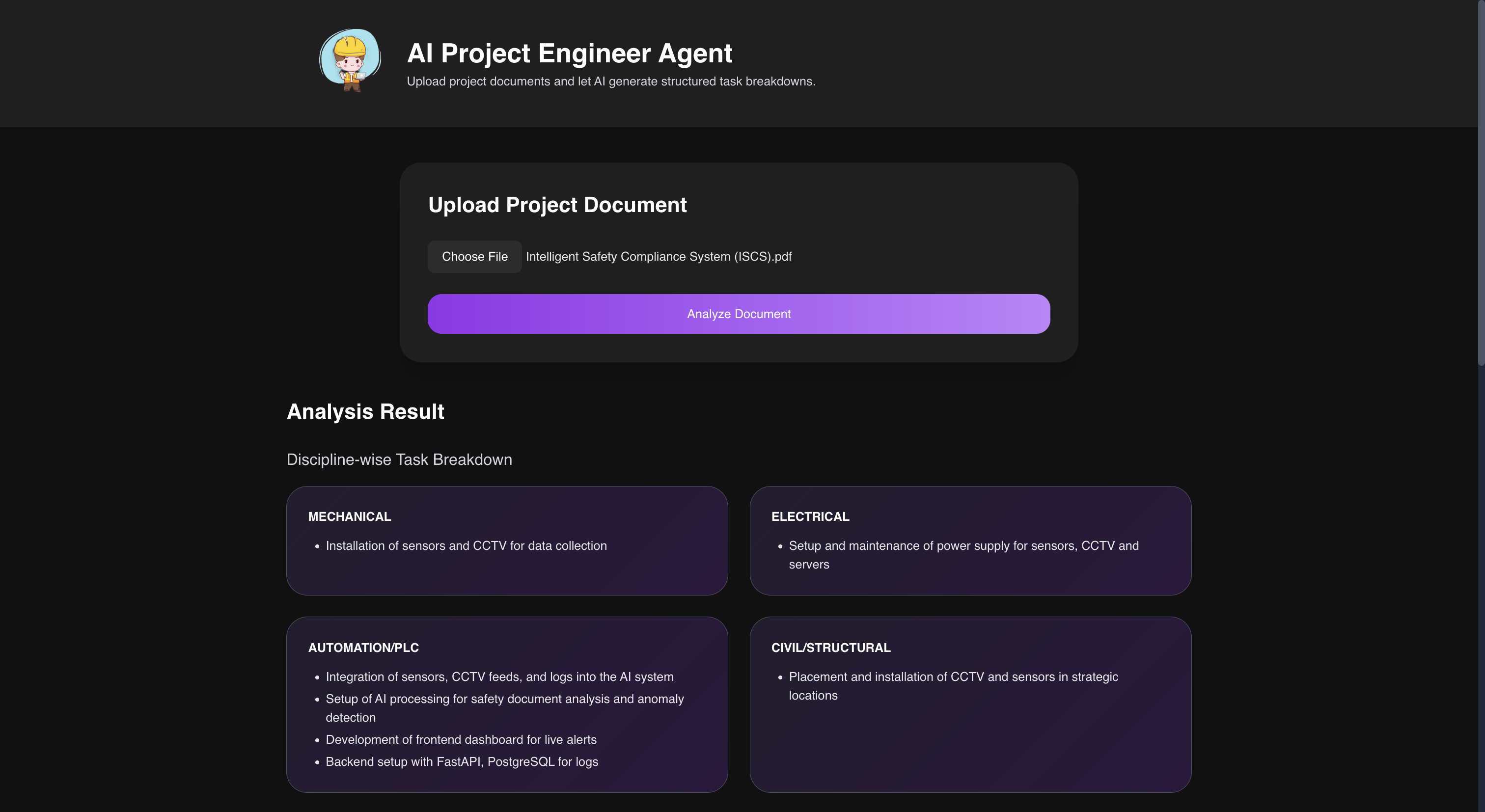
Tasks are sorted into Mechanical, Electrical, Automation/PLC, Civil/Structural and Safety — so each lead sees only their own scope.
Execution risk detection
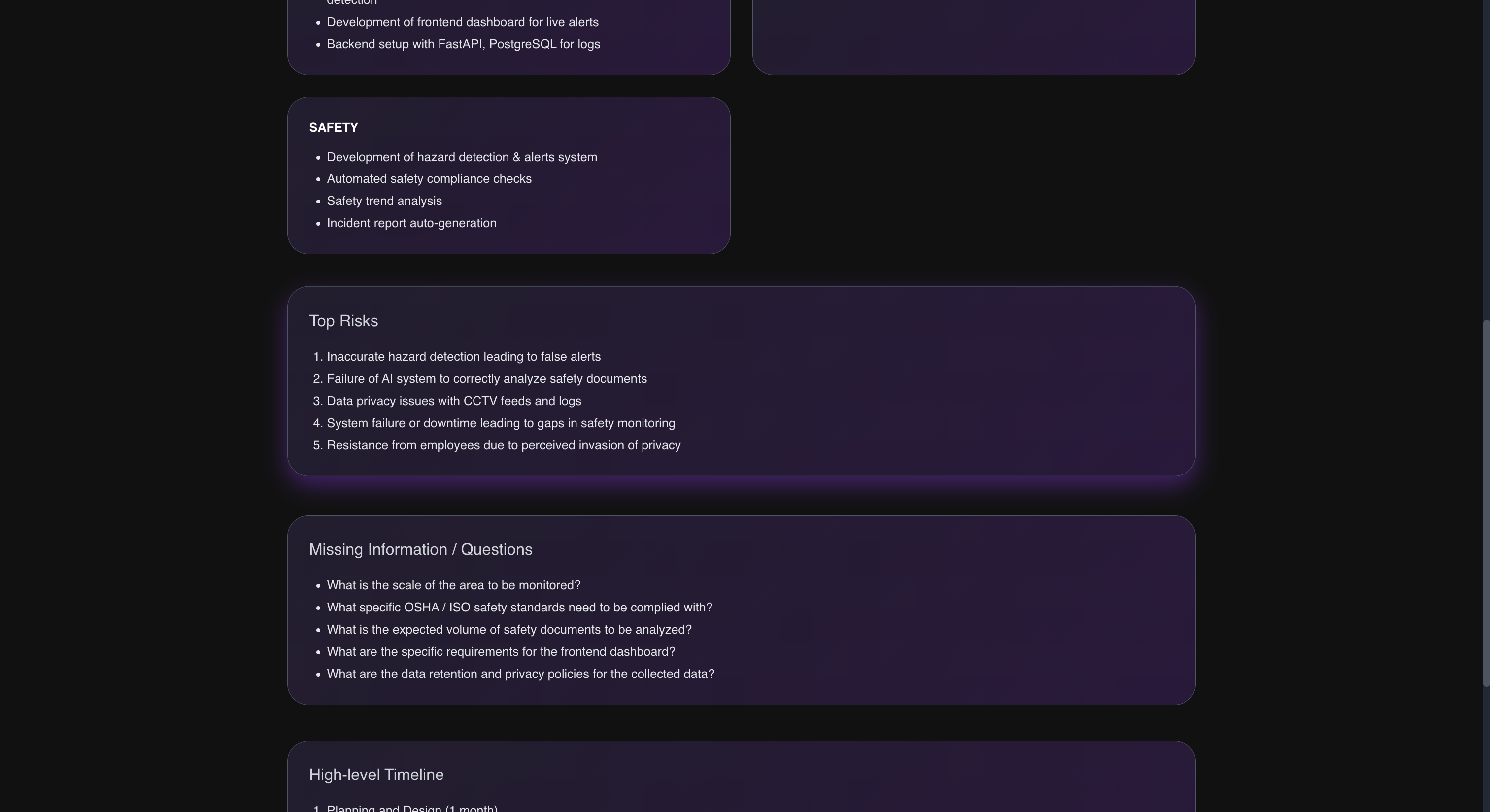
The agent surfaces the top execution risks it can infer from the scope as a ranked list, so they can be reviewed before mobilisation rather than after.
Missing-information questions
Gaps and ambiguities in the document become a concrete list of questions to send back to the client before kickoff.
Phased delivery timeline
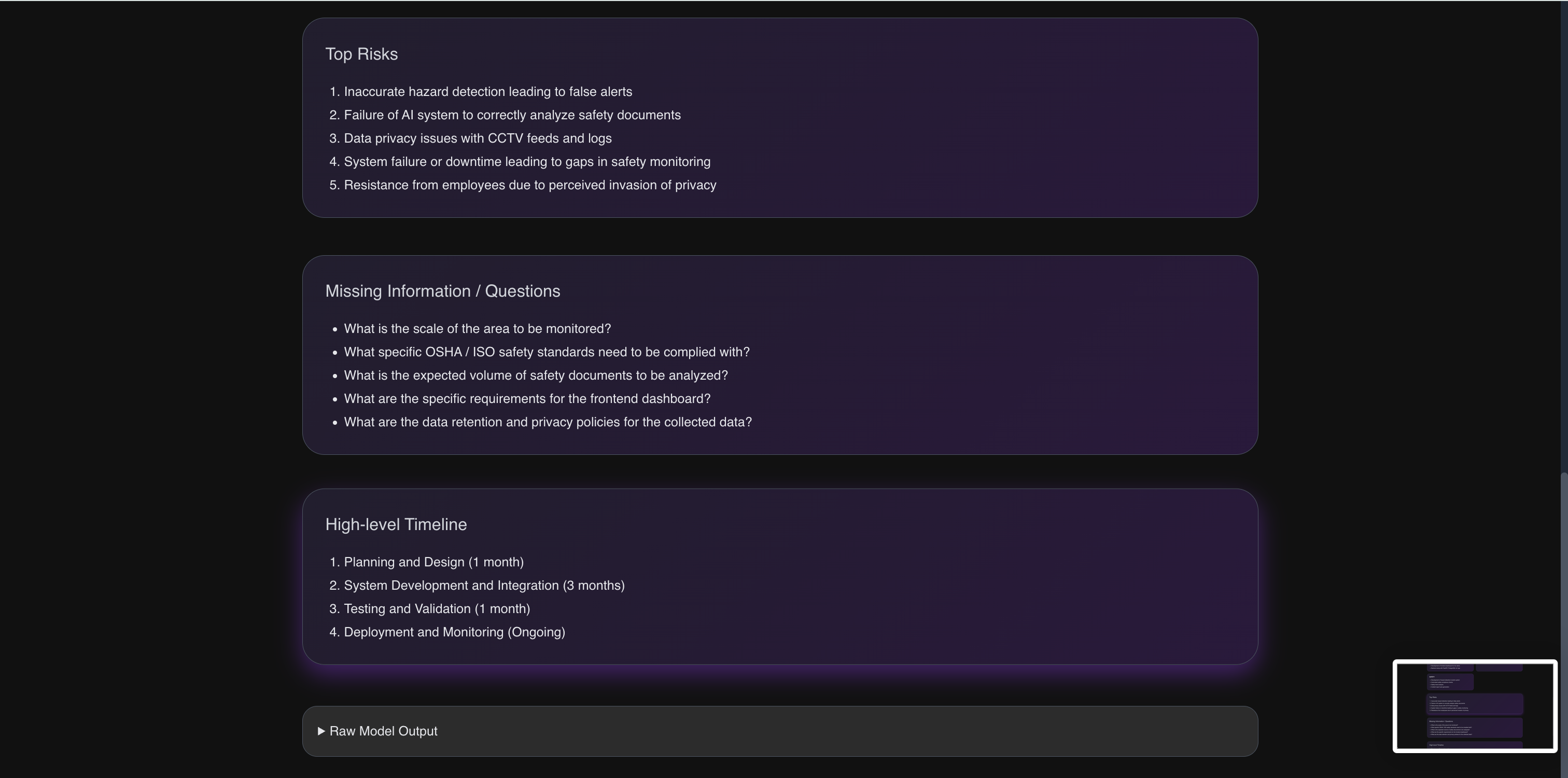
The model returns project phases with estimated durations — design, procurement, construction, commissioning — giving the delivery sequence at a glance.
Native PDF ingestion
Upload a PDF or plain-text spec directly. Text is extracted page by page and chunked with overlap so context survives the split.
Schema-validated JSON
Responses are parsed, repaired if the model wanders off-format, and validated against a Pydantic schema before they reach the UI.
From upload to structured plan in five steps
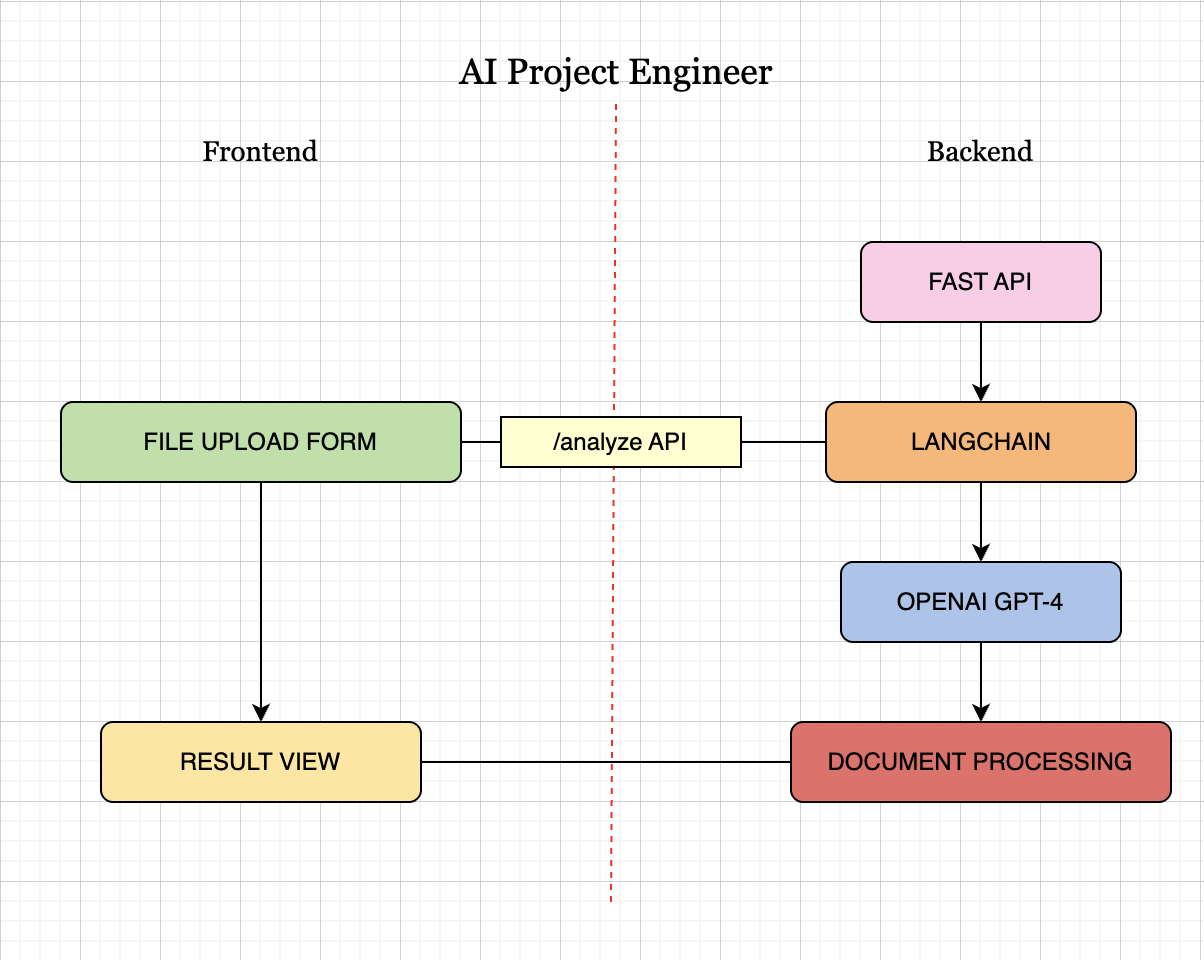
A single request path — no queues, no orchestration layer to reason about. Here's exactly what happens after you hit Analyze.
Upload React + Vite
The browser posts your PDF or text file as multipart form data to the FastAPI backend. No document is persisted — it lives only for the duration of the request.
Extract & chunk pypdf
Text is pulled page by page, then split into ~800-word chunks with a 100-word overlap. The overlap keeps sentences and clauses that straddle a boundary intact.
Assemble the prompt LangChain
A system message casts the model as an expert project engineer in industrial automation and pins the exact JSON shape it must return. The leading chunks are joined into a single human message, bounding token cost per analysis.
Reason & generate GPT-4
The model runs at a low temperature — this is an extraction and planning task, not a creative one — and emits the breakdown, risks, questions and timeline in one pass.
Parse, validate, render Pydantic React
The response is parsed as JSON, with a regex fallback that recovers the JSON block if the model adds commentary. Timeline entries are normalised into phase (duration) strings, validated against the response schema, and rendered as discipline cards and lists in the UI.
// AnalysisResponse — validated by Pydantic before it leaves the API
{
  "breakdown": {
    "MECHANICAL":       ["Installation of sensors and CCTV for data collection"],
    "ELECTRICAL":       ["Setup and maintenance of power supply for sensors"],
    "AUTOMATION/PLC":   ["Integration of sensor feeds into the AI system"],
    "CIVIL/STRUCTURAL": ["Placement of CCTV and sensors in strategic locations"],
    "SAFETY":           ["Compliance review against site safety standards"]
  },
  "risks":     ["Integration delays across disciplines", "..."],
  "questions": ["Which PLC platform is standardised on site?", "..."],
  "timeline":  ["Design (2 weeks)", "Procurement (4 weeks)", "..."]
}
What you get back
A single upload produces every view below — no configuration, no per-project setup.
Deliberately small surface area
Every dependency earns its place. Nothing here exists to pad the diagram.
Frontend
- React 18UI
- Vite 5Build & dev server
- Tailwind CSSStyling
- Chart.jsRisk charting
- AxiosHTTP client
Backend
- FastAPIAPI layer
- LangChainAI orchestration
- OpenAI GPT-4Reasoning
- PydanticResponse schema
- pypdfPDF parsing
Platform
- UvicornASGI server
- python-dotenvConfiguration
- FAISSVector store (planned)
- VercelLanding page hosting
Read the code
Full source for the FastAPI backend, the React frontend, and setup instructions for running it locally with your own OpenAI key.